
Our Corporate Operations (Corp Ops) team is aware of ongoing Zoom slowness and occasional crashes and is rolling out a few behind-the-scenes tweaks to help meetings run more smoothly. The goal? More time focused on conversations and collaboration, less time fighting your laptop!
Over the next few business days, Corp Ops will begin disabling (not deleting – don’t panic!) a handful of Zoom features that put extra strain on your machine when they’re turned on. When enabled, these features require more system resources, which has been a major contributor to freezes and crashes.
** Important Note on Document Management **
For data security reasons, documents should not be stored in Zoom. This feature will be disabled and removed. If this directly impacts your ability to perform your job, please email CorpOps@emoneyadvisor.com.
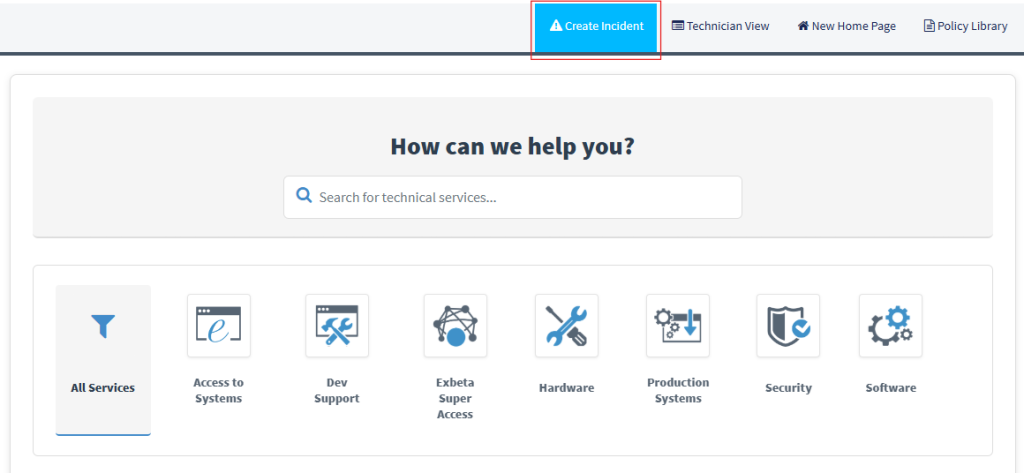
Need more help or still running into Zoom issues? Submit an Incident in the Service Portal, and Corp Ops will reach out directly to help.
To submit an incident:
We’ll continue monitoring performance and making improvements and we’ll keep you posted along the way. Thanks for your patience while we work to improve Zoom’s performance!


Leave a Reply