
As we continue to advance the technology we use to deliver the most efficient and seamless experience for each of you, CorpOps is excited to introduce CorpOps Assistant – a new chatbot support system available 24/7 in Microsoft Teams, which you may have seen in the CorpOps channel. CorpOps Assistant is available now to provide immediate assistance for some of our most common support requests including setting up Okta Verify on a new phone and getting locked out of your account.
Thank you for your patience as we launch this new tool. If you have any questions, please contact CorpOps.
Step 1: Send a chat with your request on Microsoft Teams > IT Operations – Public > CorpOps using keywords:
A response from the CorpOps Assistant will be initiated in a private chat.
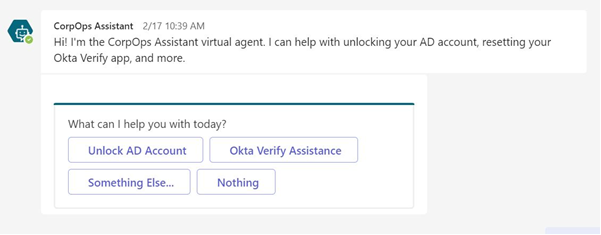
Step 2: Select the option you need help with. For example, select “Okta Verify Assistance” if you need assistance setting up Okta Verify on a new phone.
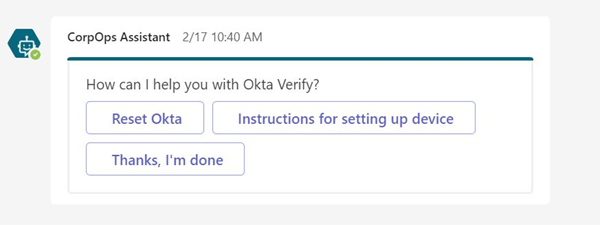
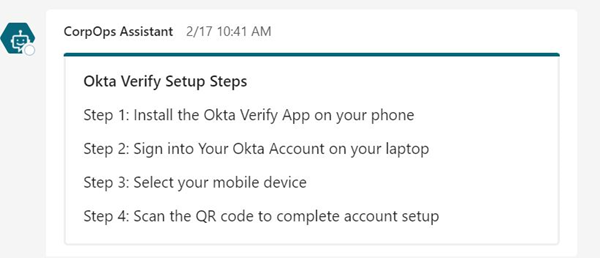
Step 3: CorpOps Assistant will complete the task for you or provide additional instructions.
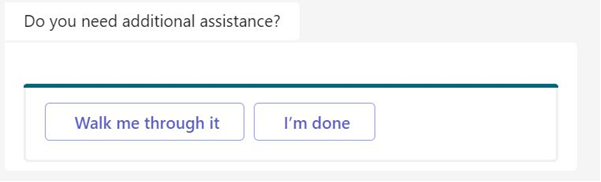
Step 4: If you do not need additional assistance, select “I’m done.”
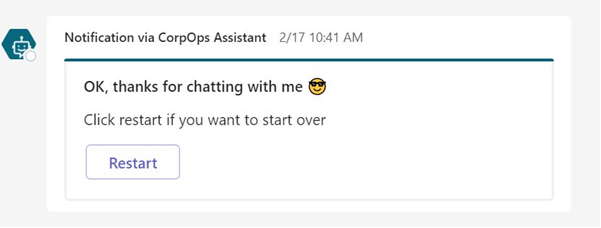
Step 5: If you would like to start over, select “restart.”


Leave a Reply